
SKESP
Fire Equipment Records Control System
A mobile app for keeping fire equipment records: scan QR codes, keep inspection deadlines under control and carry the history of every item in your pocket.
- Android 12 or newer
- Light and dark theme
- Bachelor's thesis project
About the project
SKESP started as a bachelor's thesis project. It organizes what fire units usually keep on paper and in spreadsheets: where the equipment is, when it was last checked and when it needs checking again. The prototype confirmed the potential of using such an app in practice, but at this stage work on its further development is not being continued.
Who it is for
People responsible for fire equipment who need quick access to the records in the field.
Why
So no inspection slips through: the app lists pending inspections and reminds you with notifications.
How
The app talks to a database through an API, so data is shared by all authorized users.
Key features
Everything you need for day-to-day equipment checks.
QR code scanner
Scan the code on an item to open its card right away. You can also search manually by code, serial number or registration.
Inspections and deadlines
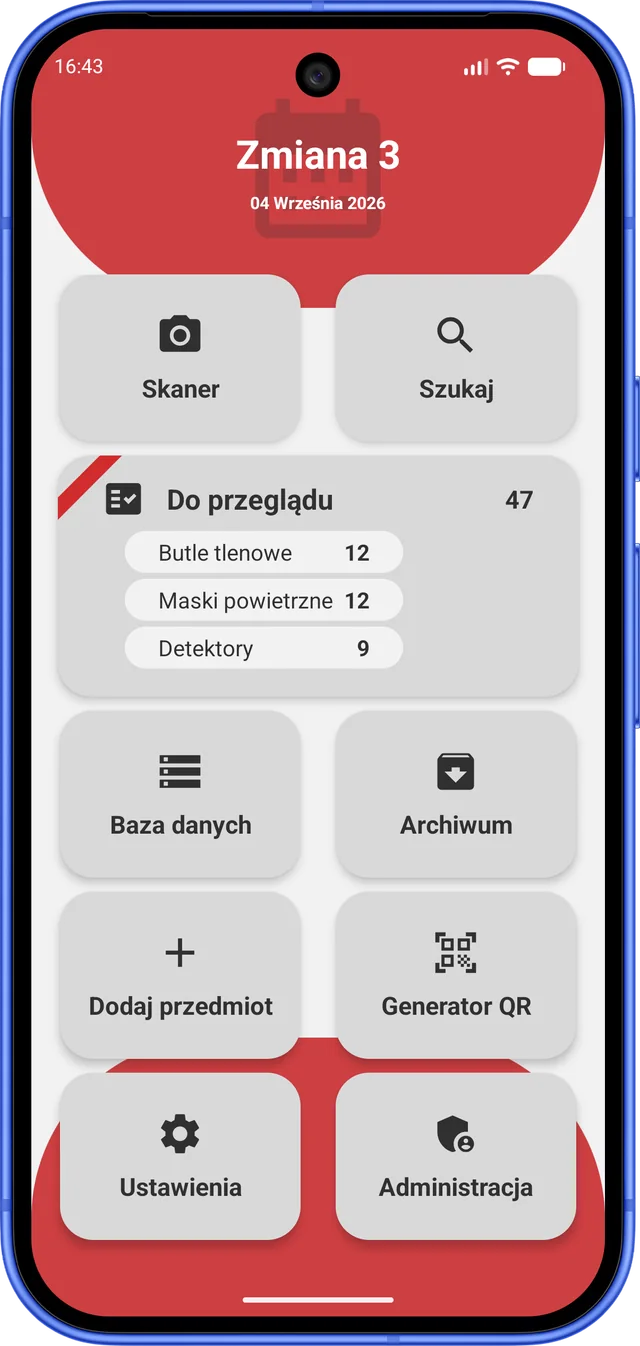
A list of pending inspections, new inspection entries and updates of the last and next inspection dates.
Notifications
Reminders about items that need attention, with a choice of notification hours and categories.
Equipment and categories
An equipment browser split into categories. Administrators can create new categories.
Inspection history
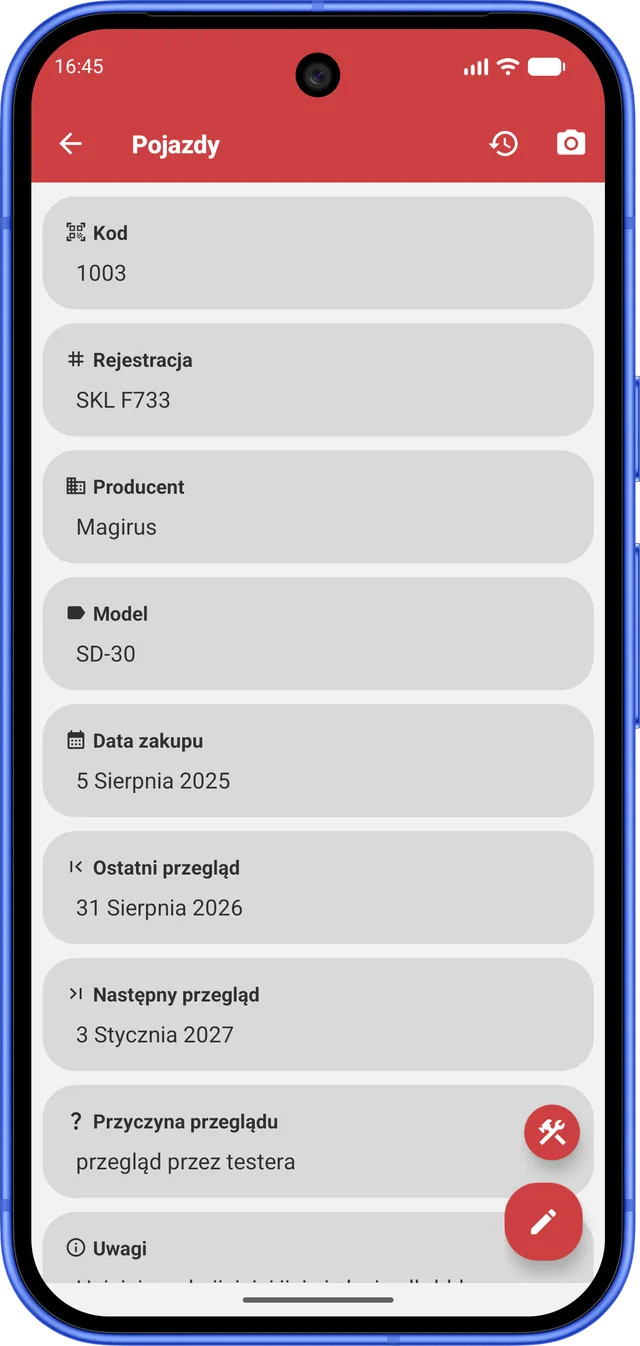
The full inspection history of an item, plus a view of each user's inspections and latest modifications.
Code generator
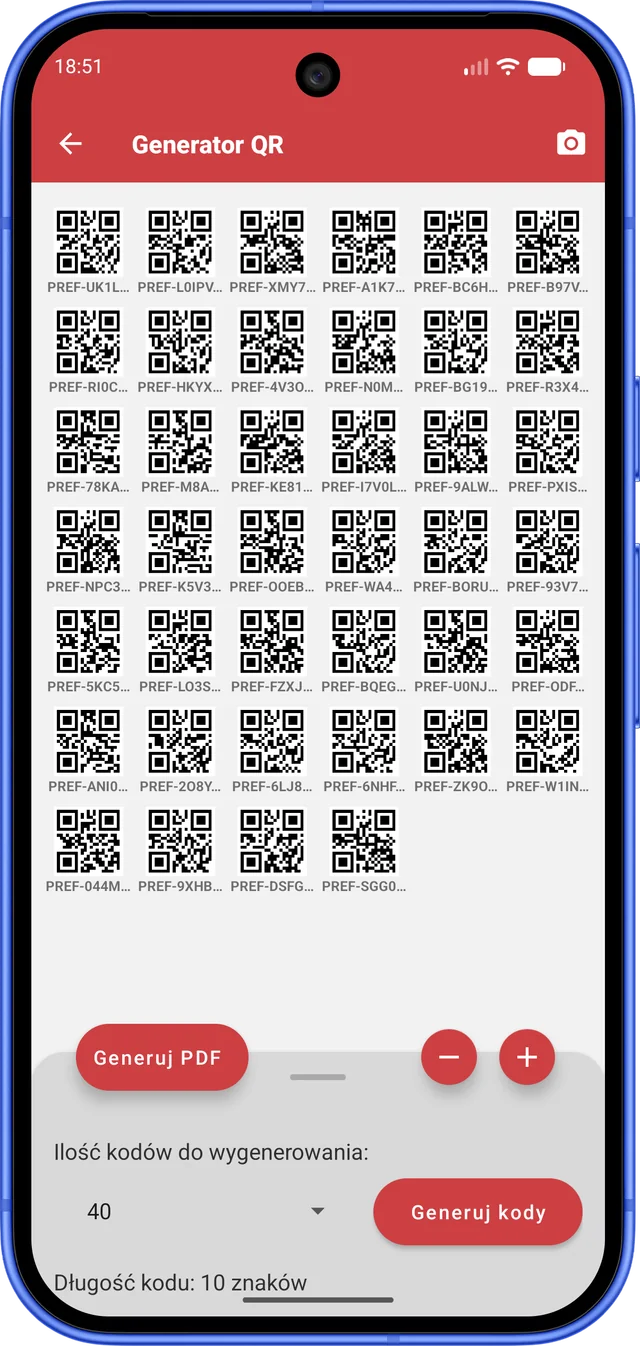
Generate QR codes for printing as PDF, with adjustable code size, margin, length and page format.
Firefighter's calendar
A built-in calendar with shift markers.
App lock
Access to the app or its selected features can be protected with your device screen lock or biometrics.
User permissions
Everyone does only what they have access to.
Administrator
Manages accounts, permissions and passwords, reads user messages and creates categories.
Editing
Modifies item data, including location, code and notes.
Inspections
Creates inspections and updates their dates.
Creation
Adds new items to the database in any category.
Archiving
Moves items to the archive and restores them to use.
Tester
Views the whole interface without being able to change data.
Under the hood
How the app keeps data correct and secure.
Data validation
The app thoroughly validates data on the phone before anything reaches the database.
SQL database and REST API
Data is stored in an SQL database and the app talks to it through a REST API.
Session tokens
User sessions are tokenized, and an administrator can log out any chosen person or generate a new password for them.
Screen lock
Sensitive actions such as editing an item, archiving, changing a password or managing users can require confirmation with the screen lock or biometrics.
Strong passwords
A password needs at least 8 characters, an uppercase letter, a digit and a special character, and changing it requires the current password.
Automatic updates
New app versions are detected automatically through the GitHub API.
Your style
The app has a system, a light and a dark theme and five accent colors. Red is the default, with blue, green, purple and orange to choose from.
Accent color
- Red
- Blue
- Green
- Purple
- Orange